What it looks like
Click a picture to see it full size.
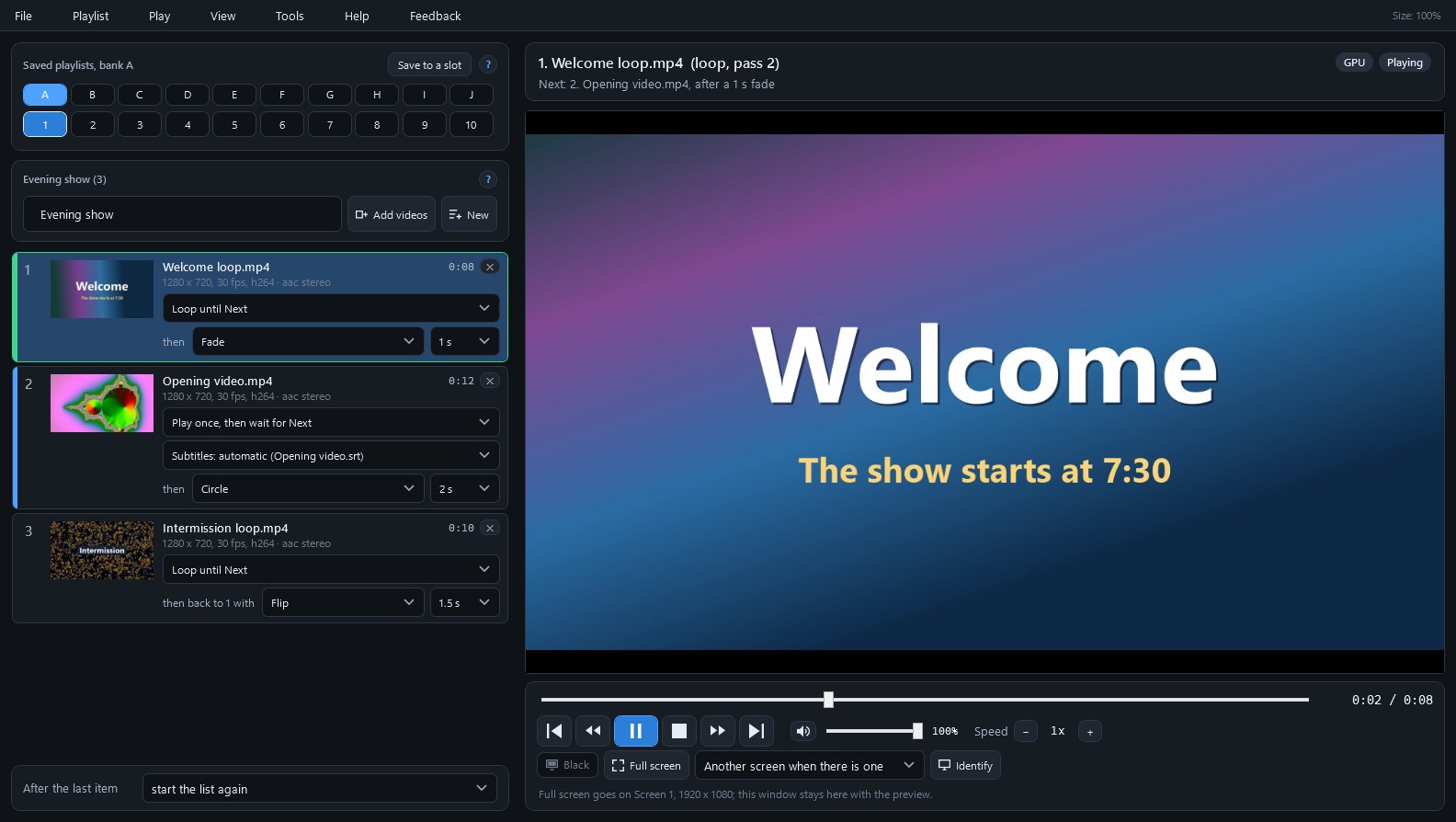
Plays a list of videos on a second screen for an audience, with loops, waits and 19 transitions.
SiggySoft Media Player plays a list of videos on a TV, a projector or a second screen for an audience, while your own screen keeps a preview, the list and what comes next. Each video plays once and goes on, plays once and waits for Next, or loops without a gap until you press Next, and changes into the next one with one of 19 transitions. It is made for shows such as a welcome loop while guests arrive, then an opening video once everyone is seated. Every key can be changed, so a presentation remote can run the show.
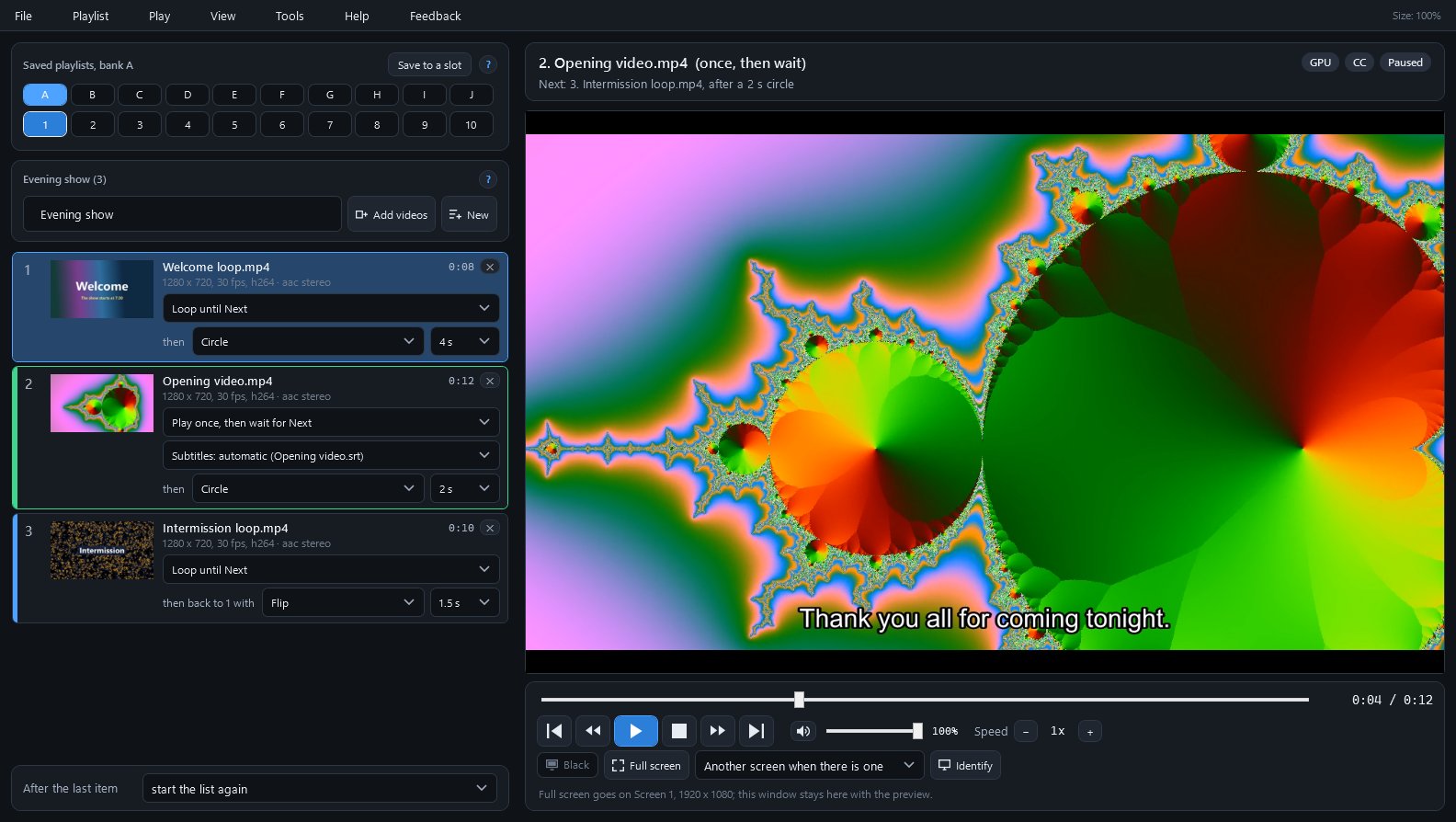
Each video plays once and goes on, plays once and waits on its last picture for Next, or loops until Next. A loop goes from its last frame straight to its first, with no gap in the picture or the sound.
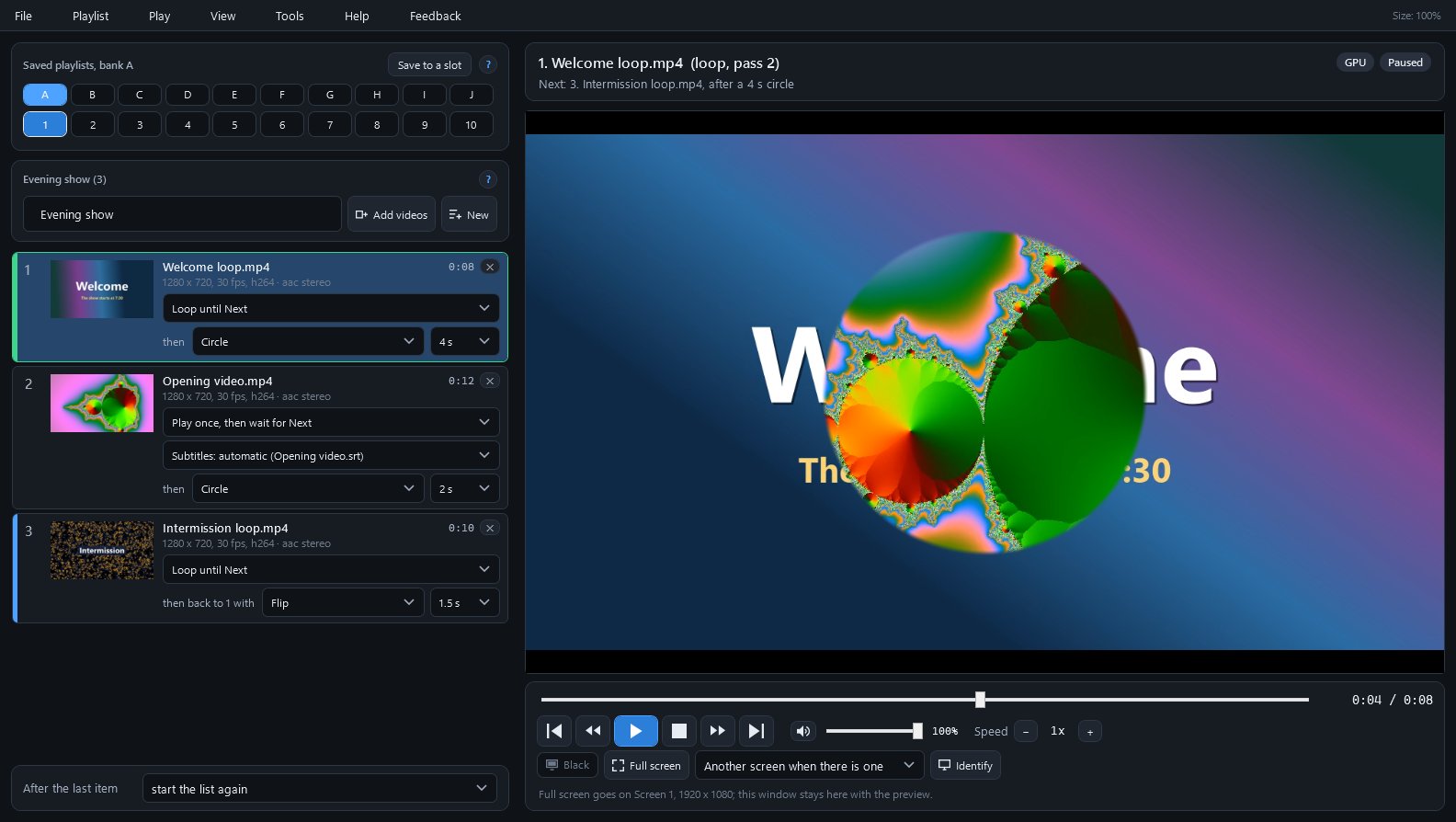
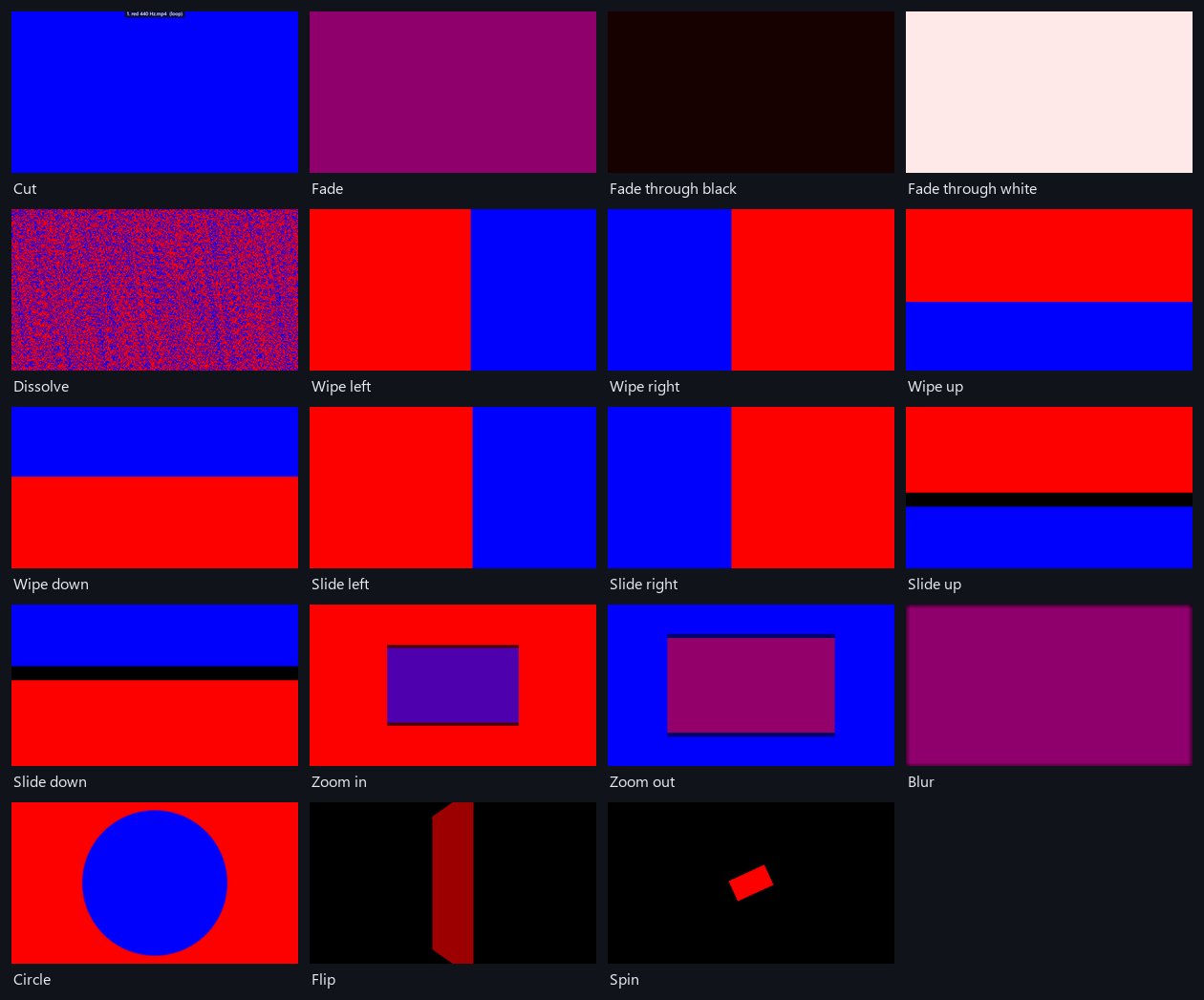
Cut, fade, fade through black or white, dissolve, four wipes, four slides, zoom in and out, blur, circle, flip and spin, each from a quarter of a second to 5 seconds long. Both videos keep playing through the change.
Full screen goes on another screen when there is one, while your window shows the same picture as a preview. Identify puts each screen's number on it, and Windows does not sleep while a list plays.
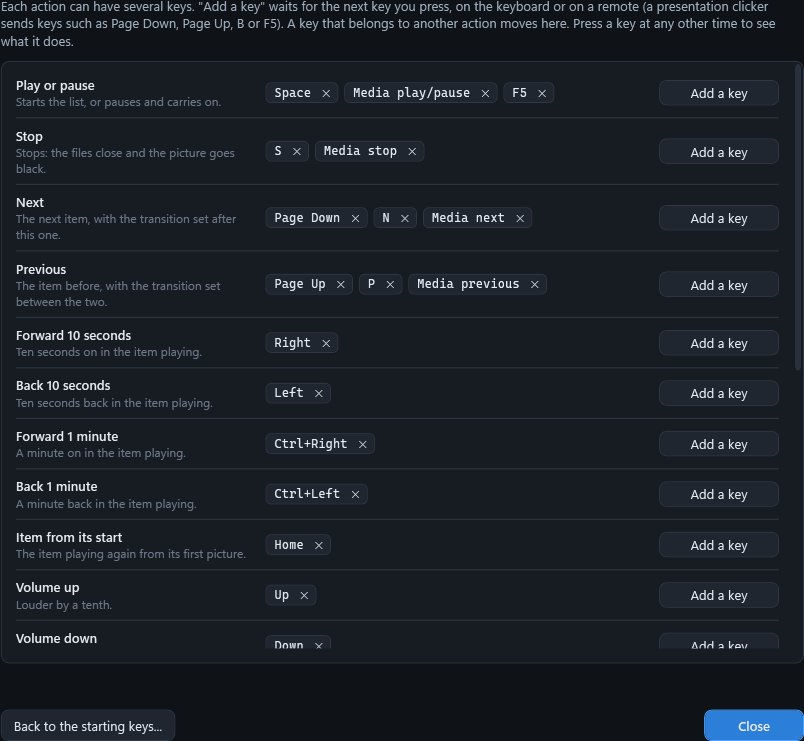
Every action's keys can be changed in Tools > Keys. The starting keys already suit many remotes: Page Down for Next, Page Up for Previous, B for a black screen, F5 to play.
Joining is free and takes your e-mail address only. Already a member? Sign in and the download is here.
Click a picture to see it full size.
| Part | What it does |
|---|---|
| Saved playlists | 100 slots in banks A to J; a lit number holds a playlist, and one click opens it. |
| The list | One row per video with a small picture, its length, how it plays, its subtitles and the transition into the next; drag rows to change the order. |
| After the last item | Stay on the last picture, fade to black, or start the list again. |
| Now and next | The video on screen and how it plays (loop, pass 2), what comes next with which transition, and the GPU or CPU and CC badges. |
| Preview | The picture the full screen shows, transitions and subtitles included; a double-click opens or closes full screen. |
| Controls | Time bar, Previous, back and forward 10 seconds, Play, Stop, Next, volume, speed from 0.25 to 4 times, Black, Full screen and Identify. |
| Tools > Keys | Every action with its keys; Add a key waits for a key on the keyboard or a button on a remote. |
| Tools > Sound check | Records 8 seconds of the sound the player sends and of what Windows plays, says in plain sentences what differs, and attaches both to a report if you choose to send one. |
| Setup check | Lists what the player needs, downloads the FFmpeg libraries when you agree, and names the sound output and the screens connected. |
To check the download, run Get-FileHash SiggySoftMediaPlayer-1.4.3-Setup.exe in PowerShell and compare the result with the SHA-256 above.
The installed player checks www.middlesiggy.com for a new version at every start (Settings > Updates turns this off) and checks Microsoft's list of .NET fixes once a day. The FFmpeg libraries download once, only after you agree in the setup check. A Feedback report, including a Sound check's recordings, leaves the PC only when you press Send; the player sends no usage counts and no crash reports. See the site's privacy policy.
What the recent versions added, newest first. The full list is in the manual.
Version 1.4.1 · 2026-10-26
Version 1.4.0 · 2026-10-26
Version 1.3.0 · 2026-10-26
Version 1.2.0 · 2026-10-26
Version 1.1.1 · 2026-10-25
Version 1.1.0 · 2026-10-14
The program's Help menu opens the manual. To report a problem or suggest an idea, use the Feedback menu in the program: you see everything before it is sent. Or write through the contact page.